Showing posts with label .htaccess. Show all posts

Apr 7, 2023

HTaccess

htaccess is a very ancient configuration file that controls the Web Server running your website, and is one of the most powerful configuration files you will ever come across. .htaccess has the ability to control access/settings for the HyperText Transfer Protocol (HTTP) using Password Protection, 301 Redirects, rewrites, and much much more. This is because this configuration file was coded in the earliest days of the web (HTTP), for one of the first Web Servers ever! Eventually these Web Servers (configured with htaccess) became known as the World Wide Web, and eventually grew into the Internet we use today.

Table of Contents

  1. Introduction
    1. Htaccess - Evolved
    2. AskApache Htaccess Journey
    3. What Is .htaccess
      1. Creating Htaccess Files
      2. Htaccess Scope
    4. Htaccess File Syntax
    5. Htaccess Directives
    6. Main Server Config Examples
    7. Example .htaccess Code Snippets
      1. Redirect Everyone Except IP address to alternate page
      2. When developing sites
      3. Fix double-login prompt
      4. Set Timezone of the Server (GMT)
      5. Administrator Email for ErrorDocument
      6. ServerSignature for ErrorDocument
      7. Charset and Language headers
      8. Disallow Script Execution
      9. Deny Request Methods
      10. Force "File Save As" Prompt
      11. Show CGI Source Code
      12. Serve all .pdf files on your site using .htaccess and mod_rewrite with the php script.
      13. Rewrite to www
      14. Rewrite to www dynamically
      15. 301 Redirect Old File
      16. 301 Redirect Entire Directory
      17. Protecting your php.cgi
      18. Set Cookie based on Request
      19. Set Cookie with env variable
      20. Custom ErrorDocuments
      21. Implementing a Caching Scheme with .htaccess
      22. Password Protect single file
      23. Password Protect multiple files
      24. Send Custom Headers
      25. Blocking based on User-Agent Header
      26. Blocking with RewriteCond
      27. .htaccess for mod_php
      28. .htaccess for php as cgi
      29. Shell wrapper for custom php.ini
      30. Add values from HTTP Headers
      31. Stop hotlinking
    8. Example .htaccess Files
    9. Advanced Mod_Rewrites
      1. Directory Protection
      2. Password Protect wp-login.php
      3. Password Protect wp-admin
      4. Protect wp-content
      5. Protect wp-includes
      6. Common Exploits
      7. Stop Hotlinking
      8. Safe Request Methods
      9. Forbid Proxies
      10. Real wp-comments-post.php
      11. HTTP PROTOCOL
      12. SPECIFY CHARACTERS
      13. BAD Content Length
      14. BAD Content Type
      15. Missing HTTP_HOST
      16. Bogus Graphics Exploit
      17. No UserAgent, Not POST
      18. No Referer, No Comment
      19. Trackback Spam
      20. Map all URIs except those corresponding to existing files to a handler
      21. Map any request to a handler
      22. And for CGI scripts:
      23. Map URIs corresponding to existing files to a handler instead
      24. Deny access if var=val contains the string foo.
      25. Removing the Query String
      26. Adding to the Query String
      27. Rewriting For Certain Query Strings
      28. Modifying the Query String
    10. Best .htaccess Articles
      1. .htaccess for Webmasters
      2. Mod_Rewrite URL Rewriting
      3. 301 Redirects without mod_rewrite
      4. Secure PHP with .htaccess
      5. .htaccess Cookie Manipulation
      6. .htaccess Caching
      7. Password Protection and Authentication
      8. Control HTTP Headers
      9. Blocking Spam and bad Bots
      10. PHP htaccess tips
      11. HTTP to HTTPS Redirects with mod_rewrite
      12. SSL in .htaccess
      13. SetEnvIf and SetEnvIfNoCase in .htaccess
      14. Site Security with .htaccess
      15. Merging Notes
    11. My Favorite .htaccess Links
    12. Htaccess Directives
    13. Htaccess Variables
    14. Htaccess Modules
    15. Htaccess Software
    16. Technical Look at .htaccess
      1. Per-directory configuration structures
      2. Command handling
        1. mod_autoindex
        2. mod_rewrite
      3. Side notes --- per-server configuration, virtual servers, etc.
      4. Litespeed Htaccess support

For Help see HTaccess.guru

Aug 17, 2016

Htaccess Guide

htaccess is a very ancient configuration file that controls the Web Server running your website, and is one of the most powerful configuration files you will ever come across. To learn how to take htaccess to the next level, beyond what you thought possible, memorize this: Htaccess Guide


Common Htaccess error, more at

What Is .htaccess ^

Specifically, .htaccess is the default file name of a special configuration file that provides a number of directives (commands) for controlling and configuring the Apache Web Server, and also to control and configure modules that can be built into the Apache installation, or included at run-time like mod_rewrite (for htaccess rewrite), mod_alias (for htaccess redirects), and mod_ssl (for controlling SSL connections).
Htaccess allows for decentralized management of Web Server configurations which makes life very easy for web hosting companies and especially their savvy consumers. They set up and run "server farms" where many hundreds and thousands of web hosting customers are all put on the same Apache Server. This type of hosting is called "virtual hosting" and without .htaccess files would mean that every customer must use the same exact settings as everyone else on their segment. So that is why any half-decent web host allows/enables (DreamHost, Powweb, MediaTemple, GoDaddy) .htaccess files, though few people are aware of it. Let's just say that if I was a customer on your server-farm, and .htaccess files were enabled, my websites would be a LOT faster than yours, as these configuration files allow you to fully take advantage of and utilize the resources allotted to you by your host. If even 1/10 of the sites on a server-farm took advantage of what they are paying for, the providers would go out of business.

My .htaccess files are being ignored.

This is almost always due to your AllowOverride directive being set incorrectly for the directory in question. If it is set to None then .htaccess files will not even be looked for. That is a good thing. If you have access to edit the httpd.conf, you should not use .htaccess files, ever. If your customers do need support for .htaccess, make sure that AllowOverride is set to something sensible (i.e.: Not All). Be certain it covers the directory you are trying to use the .htaccess file in. This is normally accomplished by ensuring it is inside the proper Directory container.

You can tell if this is your problem by adding nonsense text to your .htaccess file and reloading the page. If you do not get a server error, then Apache httpd is not reading your .htaccess file.

Jul 4, 2008

More ways to stop spammers and unwanted traffic

Comment spammers, trackback spam, stupid bots and AVG linkscanner eating into your bandwidth and server resources? Here’s how to put a dent in their activities with a few mod_rewrite rules.

I hate those blogs that send me fake trackbacks and pingbacks. Unfortunately it’s impossible to stop but this morning I figured out a way of stopping some of them.

Look through the log files of your web server for the string ‘ “-” “-”‘. Lots of requests there aren’t there? I found 914 requests yesterday. Those are requests without a USER_AGENT or HTTP_REFERER and almost all of them are suspicious because they weren’t followed by requests for images, stylesheets. or Javascript files. Unfortunately the WordPress cron server also falls into this category so you need to filter out requests from your own server’s IP address.


This morning I checked up on a spam trackback that came in.

http://ocaoimh.ie/2005/03/01/i-am-bored-sites-for-when-youre-bored/all-comments/


I looked through my log files for that IP address and discovered the following:
85.177.33.196 - - [03/Jul/2008:06:40:01 +0000] “GET /2005/02/18/10-more-ways-to-make-money-with-your-digital-cameras/ HTTP/1.0″ 200 36151 “-” “-”
85.177.33.196 - - [03/Jul/2008:07:04:18 +0000] “GET /2007/06/07/im-not-the-only-one-to-love-the-alfa-147/ HTTP/1.0″ 200 44967 “-” “-”
85.177.33.196 - - [03/Jul/2008:08:09:40 +0000] “GET /2005/03/01/i-am-bored-sites-for-when-youre-bored/all-comments/ HTTP/1.0″ 200 410423 “-” “-”
85.177.33.196 - - [03/Jul/2008:08:09:44 +0000] “POST /xmlrpc.php HTTP/1.0″ 200 249 “-” “XML-RPC for PHP 2.2.1″
85.177.33.196 - - [03/Jul/2008:09:00:09 +0000] “GET /2007/10/28/what-time-is-it-wordpress/ HTTP/1.0″ 200 63332 “-” “-” So, the spammer grabs “/2005/03/01/i-am-bored-sites-for-when-youre-bored/all-comments/” at 8:09am and 4 seconds later sends a trackback spam to the same blog post. Annoying isn’t it? The following mod_rewrite rules will kill those fake GET requests dead.
# stop requests with no UA or referrer
RewriteCond %{HTTP_REFERER} ^$
Rewritecond %{HTTP_USER_AGENT} ^$
RewriteCond %{REMOTE_ADDR} !^64\.22\.71\.36$
RewriteRule ^(.*) - [F] Replace “64\.22\.71\.36″ with the IP address of your own server. If you don’t know what it is, look through your logs for requests for wp-cron.php, run ifconfig from the command line, or check with your hosting company.
Here are a few of the requests already stopped this morning:
72.21.40.122 - - [03/Jul/2008:09:59:59 +0000] “GET /2005/04/02/photo-matt-a-response-to-the-noise/ HTTP/1.1″ 403 248 “-” “-”
216.32.81.66 - - [03/Jul/2008:10:00:11 +0000] “GET /2006/12/14/bupa-to-leave-irish-market/ HTTP/1.1″ 403 240 “-” “-”
66.228.208.166 - - [03/Jul/2008:10:03:18 +0000] “GET /2008/05/23/youre-looking-so-silly-wii-fit HTTP/1.1″ 403 212 “-” “-”
216.32.81.74 - - [03/Jul/2008:10:04:52 +0000] “GET /1998/03/22/for-the-next-month-o/ HTTP/1.1″ 403 234 “-” “-”
69.46.20.87 - - [03/Jul/2008:10:06:06 +0000] “GET /2006/10/01/killing-off-php/ HTTP/1.1″ 403 229 “-” “-”
72.21.58.74 - - [03/Jul/2008:10:07:54 +0000] “GET /2005/08/12/thunderbird-feeds-and-messages-duplicates/ HTTP/1.1″ 403 255 “-” “-” Some spam bots are stupid. They don’t know where your wp-comments-post.php is. That’s the file your comment form feeds when a comment is made. If your blog is installed in the root, “/”, of your domain you can add this one line to stop the 404 requests generated:
RewriteRule ^(.*)/wp-comments-post.php - [F,L] Trackbacks and pingbacks almost always come from sane looking user agents. They usually have the blog or forum software name to identify them. Look for “/trackback/” POSTs in your logs. Notice how 99% of them have browser names in them? Here’s how to stop them, and this has been documented for a long time:
RewriteCond %{HTTP_USER_AGENT} ^.*(Opera|Mozilla|MSIE).*$ [OR]
RewriteCond %{HTTP_USER_AGENT} ^$
RewriteCond %{REQUEST_METHOD} ^POST$
RewriteRule ^(.*)/trackback/ - [F,L] I’ve been using that chunk of code for ages. It works exceptionally well. This was prompted by a deluge of 40,000 spam trackbacks this site received in one day a few months ago. If you use my Cookies for Comments plugin. Check your browser for the cookie it leaves and use the following code to block almost all of your comment spam:
RewriteCond %{HTTP_COOKIE} !^.*put_cookie_value_here.*$
RewriteRule ^wp-comments-post.php - [F,L] That will block the spammers even before they hit any PHP script. Your server will breeze through the worst spam attempts. It blocked 2308 comment spam attempts yesterday. Unfortunately it also stops the occasional human visitor leaving a comment but I think it’s worth it. Do something different. That’s what you have to do. Place a hurdle before the spammers and they’ll fall. On that note, I shouldn’t really be blogging all this, but almost all these ideas can be found elsewhere already and the spammers still haven’t adapted. Unwanted traffic? What’s that? Surely all visitors are good? Nope, unfortunately not. Robert alerted me to the fact that AVG anti-virus now includes an AJAX powered browser plugin called “Linkscanner” that scans all the links on search engine result pages for viruses and malicious code. Unfortunately that generates a huge number of requests for pages that are never even seen by the visitor. I counted over 7,000 hits yesterday. Thankfully Padraig Brady has a solution. I hope he doesn’t mind if I reprint his mod_rewrite rules here (unfortunately WordPress changes the ” character so you’ll have to change them back, or grab the code from Padraig’s page.) #Here we assume certain MSIE 6.0 agents are from linkscanner
#redirect these requests back to avg in the hope they’ll see their silliness
Rewritecond %{HTTP_USER_AGENT} “.*MSIE 6.0; Windows NT 5.1; SV1.$” [OR]
Rewritecond %{HTTP_USER_AGENT} “.*MSIE 6.0; Windows NT 5.1;1813.$”
RewriteCond %{HTTP_REFERER} ^$
RewriteCond %{HTTP:Accept-Encoding} ^$
RewriteRule ^.* http://www.avg.com/?LinkScannerSucks [R=307,L]

Jun 10, 2008

htaccess-guide's .htaccess tutorial

.htaccess Guide
What is .htaccess?
.htaccess is a configuration file for use on web servers running the Apache Web Server software. When a .htaccess file is placed in a directory which is in turn 'loaded via the Apache Web Server', then the .htaccess file is detected and executed by the Apache Web Server software. These .htaccess files can be used to alter the configuration of the Apache Web Server software to enable/disable additional functionality and features that the Apache Web Server software has to offer. These facilities include basic redirect functionality, for instance if a 404 file not found error occurs, or for more advanced functions such as content password protection or image hot link prevention.


Table of Contents
1. What is .htaccess?
2. How to use .htaccess
3. Error documents
4. Redirects
5. Password protection
6. Deny visitors by IP address
7. Deny visitors by referrer
8. Hot link prevention techniques
9. Blocking offline browsers and 'bad bots'
10. DirectoryIndex uses
11. Adding MIME types
12. Enable SSI with .htaccess
13. Enable CGI outside of the cgi-bin
14. Disable directory listings
15. Setting server timezone
16. Changing server signature
17. Useful Resources

Nov 26, 2007

Gain traffic by going International


Experiments with web technologies, a place of old, new, radical, and controversial ideas and code. On this page, you'll find news, links to technologies and ways to pimp your website.


Experimente mit Netztechnologien, ein Ort der alten, neuen, radikalen und umstrittenen Ideen und des Codes. Auf dieser Seite finden Sie Nachrichten, Verbindungen zu Technologien und Weisen zu kuppeln Ihre Web site.


, ����� ������, �����, �����������, � �������������� ���� � ������. �� ���� ��������, �� ������� , ���������� � pimp ���� website.


Experimenten met Webtechnologieën, een plaats van oude, nieuwe, radicale, en controversiële ideeën en code. Voor deze pagina, zult u vinden nieuws, verbindingen aan technologieën en manieren aan pooi uw website.


实验以 网技术, 老, 新, 根本, 和有争议的想法和代码地方。在这页, 您将发现 新闻, 链接 技术 并且方式 拉皮条您的网站.


웹 기술 에 실험, 오래 되고는, 새롭고, 과격하, 논쟁적인 아이디어 및 부호의 장소. 이 페이지에, 너는 발견할 것이다 뉴스, 연결에 기술 그리고 방법에 너의 웹사이트는 뚜쟁이질를 한다.


網の技術 の実験、古く、新しく、根本的な、論争の的になる考えおよびコードの場所。このページで、見つける ニュース、リンクへの 技術 そして方法への あなたのウェブサイトはpimp。


Experiências com tecnologias da correia fotorreceptora, um lugar de idéias e do código velhos, novos, radicais, e controversos. Nesta página, você encontrará notícia, ligações a tecnologias e maneiras a pimp seu Web site.


Esperimenti con le tecnologie di fotoricettore, un posto di vecchi, nuovi, idee e codice radicali e e discutibili. A questa pagina, troverete notizie, collegamenti a tecnologie e sensi a pimp il vostro Web site.


Expériences avec des technologies d'enchaînement, un endroit de vieux, nouveaux, radicaux, et controversés idées et code. À cette page, vous trouverez nouvelles, liens à technologies et manières à sont souteneurs votre site Web.


Experimentos con tecnologías de la tela, un lugar de viejos, nuevos, radicales, y polémicos ideas y código. En esta página, usted encontrará noticias, acoplamientos a tecnologías y maneras a pimp su Web site.

Nov 9, 2007

.htaccess tutorial

.htaccess tutorial

.htaccess file provide a way to make config changes on a per-directory.


A file, containing one or more guidelines settings, it is placed in a particular directory, and the directives apply to that directory and all its subsequent subdirectories.

Notice:

For example, if you prefer that the file is called .htacc then you could add the following line to your server's config file httpd.conf:

AccessFileName .htacc

If a policy is allowed in a .htaccess file, the documentation for this guideline will contain a section Override, specifying that value must be in AllowOverride for this directive is permitted.

So you must at least have AllowOverride FileInfo to accept that this directive is in the .htaccess

Example:

Background:Configuration of the server, virtual host, directory, .htaccess
Override:FileInfo

If you are uncertain whether a guideline in particular is accepted in a .htaccess file, look at the documentation for this policy, and check the line for Context ".htaccess".


Not using .htaccess files

You can use the user authentication settings in the config file's main server, and that is, in fact, the most appropriate way of doing things.

This is particularly true, for example, in cases where providers are providing multiple sites for users in just a machine, and want their users to change their settings.

Any settings you consider adding in a .htaccess, can be effectively placed in a section in the main config file from your server.

There are two main reasons to avoid the use of .htaccess.

Moreover, the .htaccess file is loaded each time a document is required.

See the section as the directives are applied. So if a file from one directory /webroot/htdocs/folder is required, then Apache must look for the following files:

/.htaccess
/webroot/.htaccess
/webroot/htdocs/.htaccess
/webroot/htdocs/folder/.htaccess

Notice that this will only be the case if the .htaccess files are entitled and allowed access to /, which is not normally the case.

Specify exactly what you set in the directive AllowOverride, and direct them to the relevant documentation, will spare you a lot of confusion later.

Notice that is exactly equivalent place the .htaccess file in a directory /webroot/htdocs/folder containing a guideline, and add the same directive in a section Directory in the config of your main server

Archive .htaccess in /root/htdocs/public_html

Content of a .htaccess file in /www/htdocs/public_html

AddType application/x-httpd-php .php

Section of your httpd.conf


However, adding it to your server's config file will result in a lower loss of performance, as far as the setup is loaded at boot from the server, instead of a file that all that is required.

The use of .htaccess can be completely disabled, adjusting the directive AllowOverride to none

AllowOverride None


As the guidelines are applied

These, in turn, can be overridden by its directives guidelines further up, or in the main config file from the server.

Example:

In the directory/root/htdocs/public_html1 we have an apache .htaccess containing the following:

Options +ExecCGI

Notice: you must have "AllowOverride Options" to allow use of the directive "Options" in the .htaccess

In the directory/root/htdocs/public_html1/example2 we have an apache .htaccess containing:

Includes +Options

Because of this second .htaccess file in the directory/root/htdocs/public_html1/example2, to run CGI scripts is not allowed, because only Includes Options is in effect, which completely override any other adjustments previously configured.


authentication and/or authorization in .htaccess

See the discussion above about when you should and when you should not use the .htaccess file.

That said, if you still believe you need to use a .htaccess file, the config below probably will for you.

Content of a .htaccess file:

Basic AuthType
AuthName "Hacking Attempt"
AuthUserFile /webroot/private-dir/.htpasswd
AuthGroupFile /webroot/private-dir/.htgroup
Require Group admins

Notice that AllowOverride AuthConfig must be enabled so that these guidelines take effect.

Please see the authorization tutorial for a more complete discussion of authentication and authorization in .htaccess files.


SSI Server Side Includes Example

This can be done with the following directives for setting, placed in a .htaccess file in the desired:

Options +Includes
AddType text/html shtml
AddHandler server-parsed shtml

Notice that both AllowOverride Options and AllowOverride FileInfo must be empowered to these guidelines have effect.

Check out the SSI tutorial on apache for a more complete discussion of server-side includes.


CGI sample code

This can be implemented with the following settings:

Options +ExecCGI
AddHandler cgi-script cgi pl

Alternatively, if you want all the files in a given directory, as CGI programs, it can be done with the following config:

Options +ExecCGI
SetHandler cgi-script

Notice that both AllowOverride Options and AllowOverride FileInfo must be enabled so that these directives have any effect.

Please see the apache cgi tutorial of CGI tutorial for a more complete discussion of CGI programming and config.


Solving Problems

When you add guidelines config to a .htaccess file and not get the desired effect, there are a number of points that may be wrong.

If not generated any error from the server, you certainly have AllowOverride None qualified.

Alternatively, it can accuse you of syntax errors will be corrected.


Archives .htaccess


Definitions

Authentication
The positive identification of an entity such as a network server, a client, or user.
HTTPD Apache Docs Link: Authentication, Authorization and Access Control
Access Control
In the context of Apache normally means restricting access to certain domains
HTTPD Apache Docs Link: Authentication, Authorization and Access Control
Algorithm
The algorithms are called to encrypt usually encryption algorithms
apacheextensiontool (apxs)
It is a script written in Perl that helps compile the source code for some modules to become Dynamic Shared Objects (DSO s) and helps to be installed on the Apache Web server.
HTTPD Apache Docs Link: Pages Help: apxs
Certificate
Network entities verify signatures using certificates of BC.
Apache SSL / TLS
certificationauthority (ca)
Other entities network can verify the signature to verify that a Certificate Authority had authenticated the holder of the certificate.
Apache SSL / TLS
certificatsigningrequest (csr)
Once the CSR is signed, it becomes a genuine certificate.
Apache SSL / TLS
Encryption Algorithm
Examples of these algorithms are DES, IDEA, RC4, and so on.
Apache SSL / TLS
Text encryption
The result of having applied to a text unencrypted an encryption algorithm.
HTTPD Apache Docs Link: SSL / TLS
Common Gateway Interface (CGI)
This interface was originally defined by the NCSA but there is also a draft RFC.
HTTPD Apache Docs Link: Dynamic Content with CGI
Configuration Directives
HTTPD Apache Docs Link: Directives
Configuration File
A text file containing directives that control the configuration of Apache.
HTTPD Apache Docs Link: Configuration Files
CONNECT
It can be used to encapsulate other protocols, such as SSL protocol.
Context
An area in the configuration files where they are allowed certain types of directives.
HTTPD Apache Docs Link: Terms used to describe the Apache Directives
Digital Signature
Only the public key can decrypt the CAs signature, verifying that the CA has authenticated the network entity owns the certificate.
Apache SSL / TLS
Directive
The directives are in the Configuration File
HTTPD Apache Docs Link: Index Directives
dynamicsharedobject (dso)
The modules compiled separately to Apache httpd binary can be loaded as required.
HTTPD Apache Docs Link: Support Dynamic Shared Object
environmentvariable (env-variable)
Apache also contains internal variables that are referred to as environment variables, but which are stored in the internal structures of Apache, rather than in the shell environment.
HTTPD Apache Docs Link: Environment Variables Apache
Export
The cryptographic software Export is limited to a small key, so that the ciphertext that is achieved with it, can desencriptarse by brute force.
Apache SSL / TLS
Filter
For example, the output filter INCLUDES processes documents for Server Side Includes.
HTTPD Apache Docs Link: Filters
fully-qualifieddomain-name (fqdn)
For example, www is a hostname, example.com is a domain name, and www.example.com is a fully qualified domain name.
Handler
For example, the handler cgi-script designates files to be processed as CGI.
HTTPD Apache Docs Link: Using Apache Handler
Headline
Part of the petition and HTTP response that is sent before the actual content, which contains metadata describing the content.
.htaccess
Despite its name, this file can contain any type of guidelines, directives not only access control.
HTTPD Apache Docs Link: Configuration Files
Httpd.conf
The default location is / usr/local/apache2/conf/httpd.conf, but can move using configuration options when compiling or start Apache.
HTTPD Apache Docs Link: Configuration Files
hypertexttransferprotocol (http)
Apache implements version 1.1 of this protocol, which is referred to as HTTP/1.1 and defined by RFC 2616.
HTTPS
Actually HTTP over SSL.
Apache SSL / TLS
Method
Some of the methods diponibles HTTP are GET, POST and PUT.
Message Digest
A hash of a message, which can be used to verify that the content of the message has not been altered during transmission.
Apache SSL / TLS
MIME-type
In HTTP, the mime type is transmitted in the headwaters of the Content Type.
HTTPD Apache Docs Link: mod_mime
Module
These modules are called modules third.
See Table Module
modulemagicnumber (mmn)
If you change the magic number of module, all the modules of others must be at least recompiled, and sometimes even need to be slight modifications to run with the new version of Apache
OpenSSL
The Open Source toolkit for SSL / TLS
See http://www.openssl.org/
Pass Phrase
Usually its just the key encryption / decryption algorithms used by encryption.
Apache SSL / TLS
Plaintext
The unencrypted text.
Private Key
The key secret of a Public Key Cryptography system, used to decrypt incoming messages and sign outgoing.
Apache SSL / TLS
Proxy
If multiple clients requesting the same content, the proxy serves content from its cache, instead of asking every time they need to source server, reducing this turnaround time.
HTTPD Apache Docs Link: mod_proxy
Key Publish
The key publicly available in a Public Key Cryptography system, which is used to encrypt messages intended for its owner and to decrypt signatures made by its owner.
Apache SSL / TLS
Criptográfia Public Key
Also called Asymmetric Cryptography.
Apache SSL / TLS
regularexpresion (regex)
One way to describe a standard text-for example, "all words that begin with the letter" A "or" all the phone numbers that contain 10 digits "or even" All sentences between commas, and they do not contain any Q letter. "Regular Expressions in Apache are useful. Uses Apache Perl Compatible Regular Expression thanks to the PCRE library.
Reverse Proxy
It is useful to hide the true source server to the client for security, or for load balancing.
Secure Sockets Layer (SSL)
Its implementation is more popular HTTPS, the Hypertext Transfer Protocol (HTTP) over SSL.
Apache SSL / TLS
Server Side Includes (SSI)
A technique for embedding process directives in HTML files.
HTTPD Apache Docs Link: Introduction to Server Side Includes
Session
Information context of a communication in general.
SSLeay
The original implementation of the library SSL / TLS developed by Eric A. Young
Symmetric Cryptography
The study and application of encryption algorithms that use a single secret key for both encryption to decrypt.
Apache SSL / TLS
Tarball
The Apache distributions are stored in compressed files with tar or pkzip.
transportlayersecurity (tls)
Version 1 of TLS is almost identical to the version 3 SSL.
Apache SSL / TLS
uniformresourcelocator (url)
A URL for this page is http://httpd.apache.org/docs/trunk/glossary.html.
uniformresourceidentifier (URI)
URIs in use world-wide web are commonly referred to as URLs.
Virtual Hosting
They are serving different websites with a single entity Apache. Hosting virtual IPs difference between websites based on their IP addresses, while the name-based virtual hosting uses only the name of the host and thus can accommodate many websites with the same IP address.
HTTPD Apache Docs Link: Documentation Hosting Virtual Apache
X.509
A certificate authentication scheme recommended by the International Telecommunication Union (ITU-T) which is used for authentication SSL / TLS.
Apache SSL / TLS

Server Apache Test

ErrorDocument
 

Nov 8, 2007

Google AJAX Search API Blog: Slide Show Update - Full Control Panel

The Google AJAX Feed API's Slide Show got an update with the addition of a full control panel option. To see this new control panel in action, just hover your mouse over the sample below. To get all the information on the new feature, visit the Slide Show Programming Guide.


Mr. Apache

Mr. Apache

iTools 8 for Mac OS X & Mac OS X Server

iTools 8 for Mac OS X & Mac OS X Server:

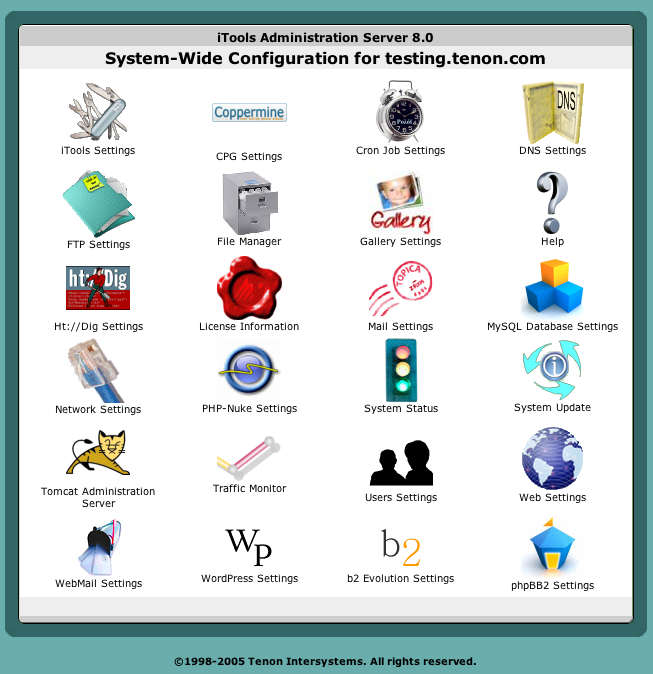
Apache Dashboard iTools 8 is a web site management system for both small to medium-sized web hosting providers that own or rent dedicated servers, and for large service providers who may wish to bundle iTools into their offerings. iTools is ideal for the professional hosting of multiple companies on a single server; it shortens the time and lessens the expertise needed to deploy new sites. iTools's secure, domain-specific, browser-based Apache administration, using a 8th generation suite of tools, makes Apache on Mac OS X, the easiest Apache in the world to administer. Using Apple's bundled Apache as a point-of-departure, Tenon's iTools extends this underlying server platform with an Apache 2 implementation, a point-and-click interface and a rich set of new features. Included with iTools, in addition to extensions and enhancements to the Mac OS X Apache web server, are a state-of-the-art domain name server, a multihoming FTP server, a robust SSL encryption engine to support eCommerce, a powerful caching engine with state-of-the-art proxy support, and a search engine. All of the tools are supported using a secure point-and-click browser-based administration tool.

Screen Shots
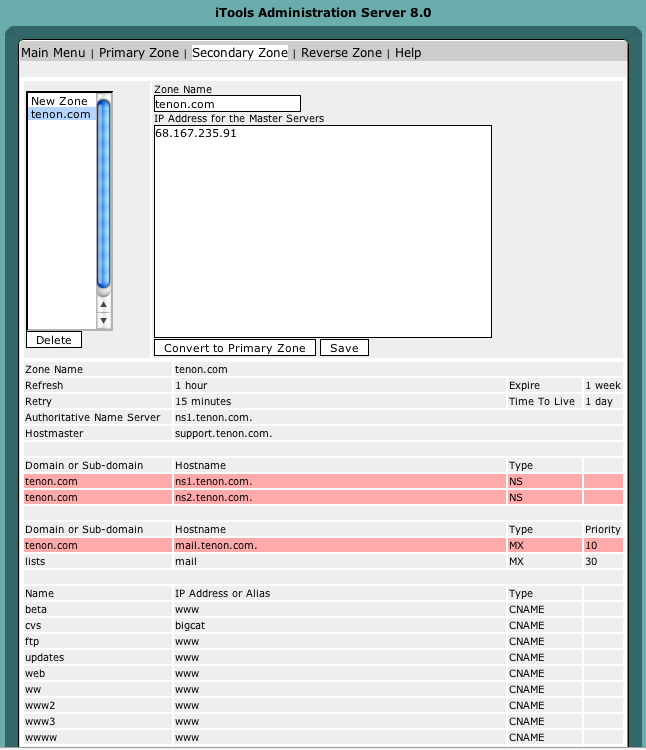
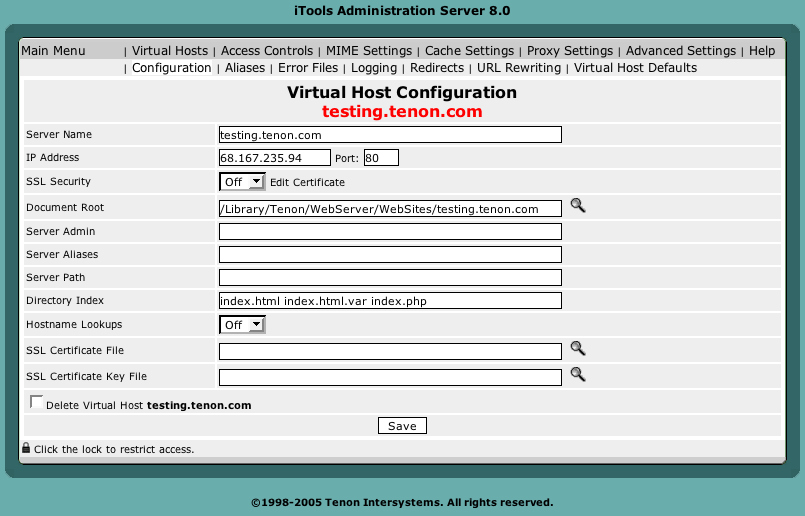
iTools Control Panel Configure your DNS Add a virtual host

How To Ask Questions The Smart Way

How To Ask Questions The Smart Way

Apache HTTPD Debugging Guide - The Apache HTTP Server Project

Apache HTTPD Debugging Guide - The Apache HTTP Server Project

This document is a collection of notes regarding tools and techniques for debugging Apache and Apache modules.

Got more tips? Send 'em to docs@httpd.apache.org. Thanks!

  1. Using gdb
  2. Getting a live backtrace on unix
  3. Getting a live backtrace on Windows
  4. Debugging intermittent crashes
  5. Using 'truss/trace/strace' to trace system calls and signals
  6. Getting the server to dump core
  7. Solaris and coredumps
  8. Getting and analyzing a TCP packet trace

Available Mailing Lists

Available Mailing Lists

Fresh .htaccess Examples: Cookies, Variables, Custom Headers

Fresh .htaccess Examples: Cookies, Variables, Custom Headers

Redirect All Feeds to Feedburner's MyBrand


RewriteCond %{THE_REQUEST} ^[A-Z]{3,9}\ /(feed|wp-atom|wp-feed|wp-rss|wp-rdf|wp-commentsrss)(.*)\ HTTP/ [NC,OR]
RewriteCond %{QUERY_STRING} ^feed [NC]
RewriteCond %{HTTP_USER_AGENT} !^(FeedBurner|FeedValidator|talkr) [NC]
RewriteRule .* http://feeds.askapache.com/apache/htaccess? [R=307,L]

.htaccess Google Group Feeds

Atom 1.0
15 New messages
50 New messages
15 New topics
50 New topics
RSS 2.0
15 New messages
50 New messages
15 New topics
50 New topics

Apache .htaccess Google Search Engine

Search engine details


Apache htaccess, httpd.conf, mod_rewrite, advanced and hard to find documentation

This project is dedicated to the best .htaccess and apache htaccess tutorials, guides, and documentation. Helpful cheatsheets, underground apache mailing-lists, webmaster forums, mod_rewrite online samples, etc. This is for all the awesome server configurations and Apache hacks. ~AskApache


Test it out!

searches 22 sites, including:


http://www.webmasterworld.com/forum92/*.htm, http://www.askapache.com/*.html, askapache.com, http://mail-archives.apache.org/mod_mbox/httpd-*, http://news.gmane.org/gmane.comp.apache.mod-security.user


Keywords:


htaccess "htaccess file" mod_rewrite ".htaccess files" httpd.conf rewriterule rewritecond htpasswd


Keywords: htaccess askapache rewriterule rewritecond "apache htaccess" mod_rewrite htpasswd wordpress